Your phone keeps pulling you out of deep work.
Ice Jar only melts your reward while the phone lies still on the table with Ice Jar open. Pick it up or switch apps and the melting stops, so leaving the phone alone is what pays off.
Our apps
 PicaBookTurn kids' stories into picture books they can share
 CarMarkSpot car scratches and dents before you sign
 Mix MaxStop guessing. Let math find your best mix.
 City UnlockLight up the streets you walk, run or drive
 Ice JarEarn your breaks by keeping your phone down
 Practice StopTruck English for the ELP check at DOT inspections
 Answer MeAnswers from real people, no account needed
 TegraRepeat any folder copy or move with one tap

Focus timer that rewards you
Can't stop procrastinating? Freeze a reward you've promised yourself, lay your phone on the table and let your focus melt the ice. Pick it up and the melting stops.
Coming to Android & iOS
Ask about Ice Jar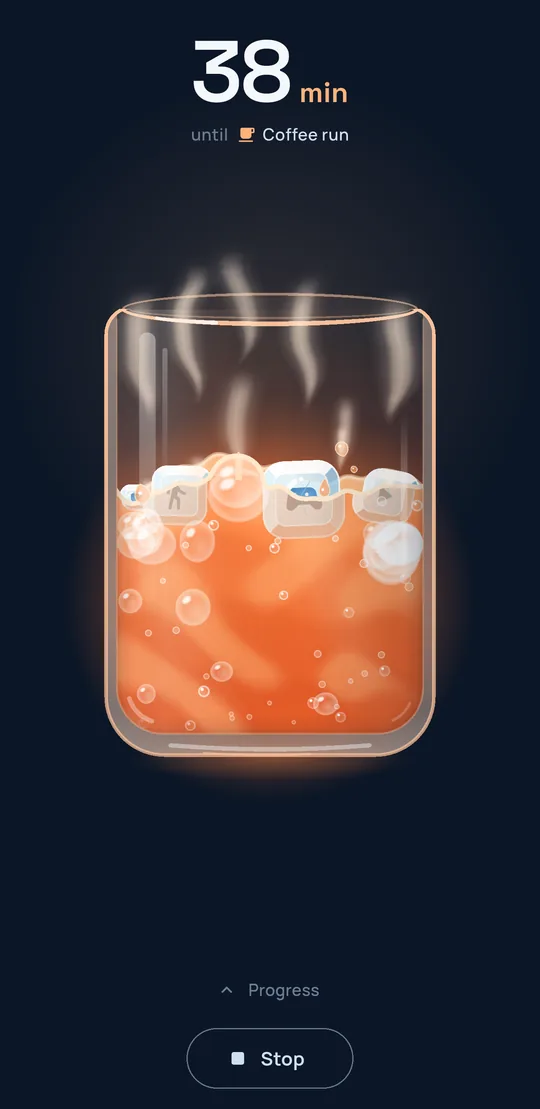
The problem it solves
Your phone keeps pulling you out of deep work.
Ice Jar only melts your reward while the phone lies still on the table with Ice Jar open. Pick it up or switch apps and the melting stops, so leaving the phone alone is what pays off.
Breaks feel guilty, or you can't get started at all.
Choose the reward and how long it lasts before you start, like a 15-minute walk or a YouTube break. When the ice melts, a chime tells you the break is yours, guilt-free.
Plain timers and app blockers feel like nagging, so you stop using them.
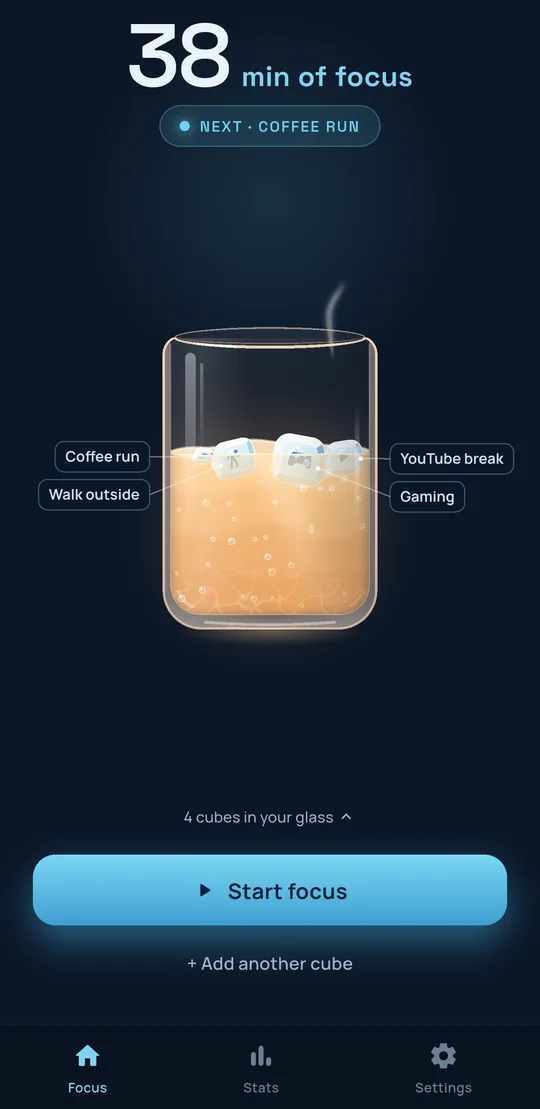
Ice Jar blocks nothing. A drink that warms from icy blue to a steaming orange shows your focus at a glance, and a reward is waiting when the ice melts.
Features
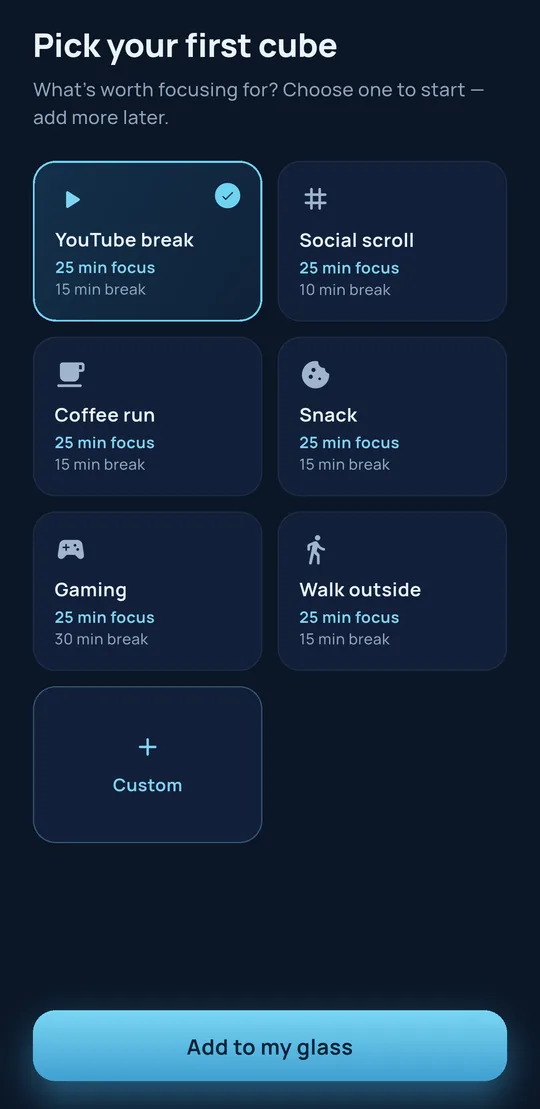
Each ice cube in your glass is a treat you have promised yourself: a YouTube break, a coffee run, a walk outside. Drop it in, lay your phone down, and your focus warms the drink until the ice melts and the reward is yours.
Tap Start focus and lay your phone on the table, screen up to watch the glass or face down. The motion sensor notices the moment it is down and the drink starts heating, with the minutes to your next reward on screen.
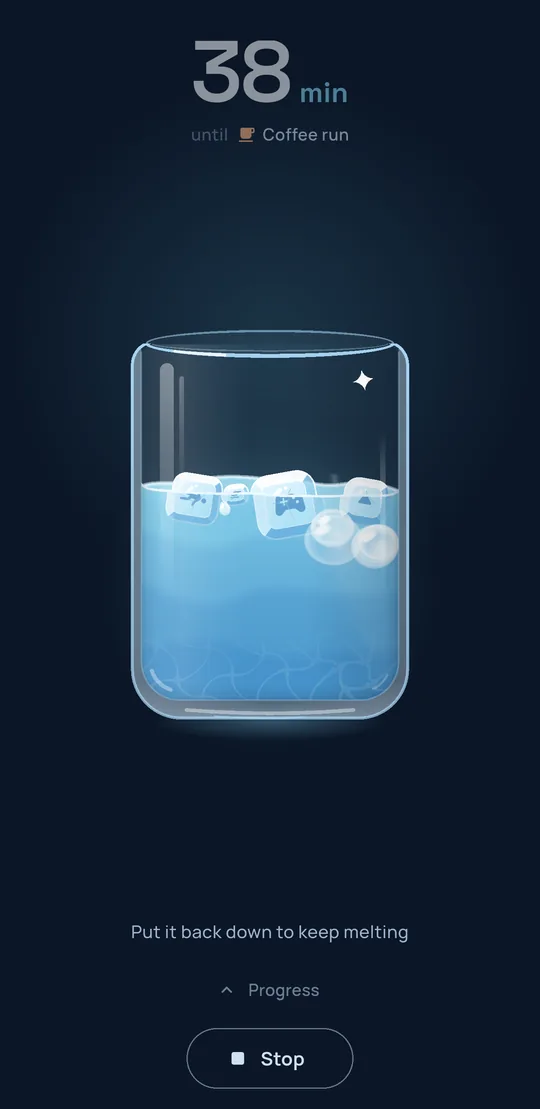
Lift the phone or leave the app and the drink cools down, so melting waits until you put the phone back on the table.
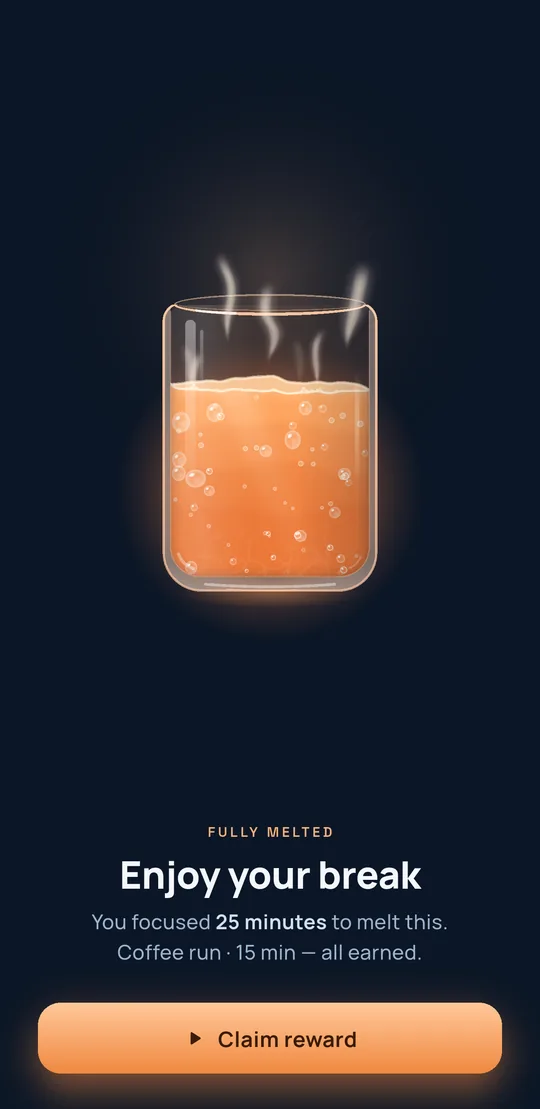
When the cube has melted, Ice Jar shows how long you focused and the break is yours. Claim it and the cube goes back into the glass, frozen, ready to be earned again.
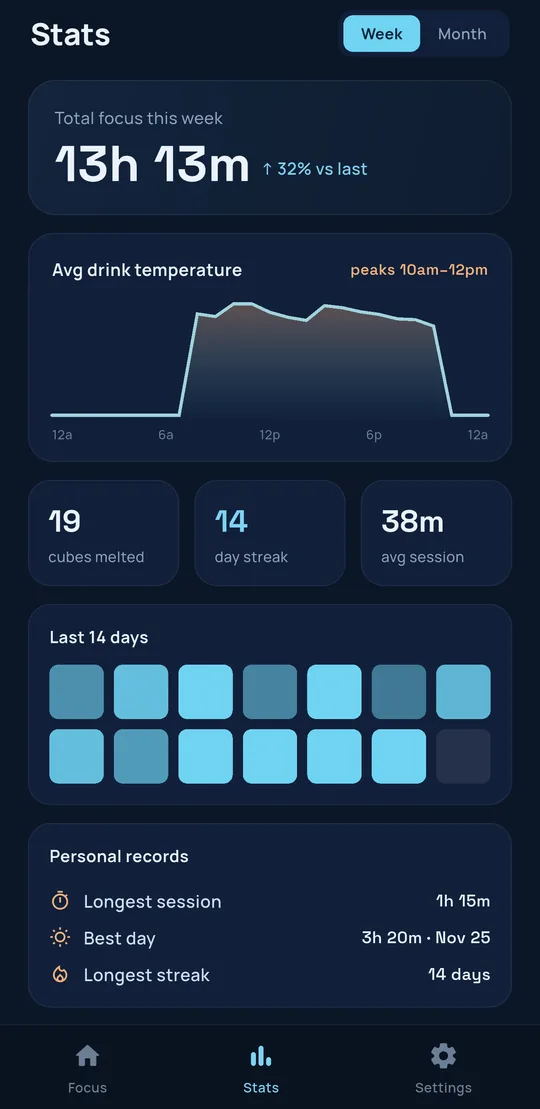
Stats are free: your total focus this week or month, the hours your drink runs hottest, cubes melted, your day streak and personal records.
Highlights
No blockers, no camera and no sign-up wall: just your phone on the table and a reward waiting when the ice melts.
Ice Jar doesn't block, limit or look at your other apps. It rewards time with your phone lying down.
Only the motion sensor is used, to tell whether the phone is lying down and to tilt the drink. Motion data never leaves your device.
No sign-up needed to begin. Sign in with Google, or with Apple on iOS, to sync across devices.
Each reward costs 10, 15, 25, 50 or 75 minutes of focus, from a quick start to a long block of deep work.
One focus session a day is free, with your stats, history, streaks and export included.
An optional subscription that removes the daily limit: melt as many rewards a day as you like.
How it works
Pick a reward, like a coffee run or a YouTube break, choose how long it lasts and how much focus it costs, then drop the cube into your glass.
Tap Start focus and lay the phone on the table. Your focus heats the drink and melts the ice. Pick the phone up or leave the app and the melting stops.
When the cube has fully melted, a chime plays and Ice Jar shows how long you focused. Claim the reward and enjoy a break you earned.
Screenshots
FAQ
Not yet. Ice Jar is in testing and is being prepared for Google Play and the App Store, for Android and iOS. Store links will appear on this page when it launches. Until then, you can reach us through the contact page.
It uses your phone's motion sensor to tell when the phone is lying still on the table while Ice Jar is open, screen up or face down (a setting can require face-down). Then the drink heats and the ice melts. Pick the phone up or leave the app and the melting stops. On Android, locking the phone keeps the session going. Ice Jar doesn't use the camera, and motion data never leaves your device.
No. Ice Jar doesn't block, limit or look at your other apps. It only melts your reward while the phone lies down with Ice Jar open, so putting the phone down is what pays off.
It works like one. Each reward costs 10, 15, 25, 50 or 75 minutes of focus. Instead of watching a countdown, you watch a drink warm up and melt the ice. Use it as a study timer, as a pomodoro timer for work, or for long stretches of writing, coding and reading.
Ice Jar will be free to download, with no ads. One focus session a day is free (one cube melted), with your stats, history, streaks and CSV export included. Ice Jar Pro is an optional monthly or yearly subscription that removes the daily limit, so you can melt as many rewards a day as you like.
No. Ice Jar starts you as a guest so you can begin right away. Sign in with Google, or with Apple on iOS, to sync your cubes, streaks and Ice Jar Pro across devices. You can delete your account and its data at any time in Settings.
Ice Jar is in testing and being prepared for Google Play and the App Store. Store links will appear here at launch. Have a question in the meantime? Get in touch through our contact page.
Coming to Android & iOS
Ask about Ice JarMore from My Fortuna
Truck English for the ELP check at DOT inspections